Physics, Chemistry & Biology Practical Exam System

Physics, Chemistry & Biology Practical Exam System

Standardized hands-on exams for science labs — from scheduling to scoring in one platform

Built for regional unified practical exams and high-stakes graduation assessments, the platform supports three-tier deployment across education bureaus, schools, and exam venues. It covers exam scheduling, facial identity verification, digital answer sheets and OMR recognition, multi-camera proctoring, dual-marking arbitration with blind review quality control, AI-assisted scoring, and analytics — digitizing the full workflow for physics, chemistry, and biology practical exams.

Book a demo for this product

Product Demo

某地实验中考

考试流程

硬件展示

Pain Points & Solutions

Challenge

Fragmented exam workflows and inefficient scheduling

Solution

Unified exam administration with one-click scheduling and paper distribution, supporting multiple subjects, papers, and mixed student cohorts

Challenge

Operational details hard to trace; heavy proctoring burden

Solution

Synchronized multi-camera recording from overhead, side, and microscope views with seat-level monitoring and online status tracking

Challenge

High marking workload and slow score aggregation

Solution

Automated digital answer sheet scoring + intelligent OMR recognition + AI-assisted marking with human-in-the-loop finalization and one-click score export

Core Features

From assessment and scoring to diagnostics and evaluation — covering the full teach-assess-learn cycle.

Feature 1

Computer-Based Testing

A new era of paperless assessment

  • End-to-end paperless: Digital workflow from item authoring and smart paper assembly to online exams and auto-marking.
  • Rich question types: Hands-on tasks, drawing, formula derivation, circuit wiring and other subject-specific assessments.
  • Secure & efficient: Timed submission, random draws, paper shuffling, anti-cheating monitoring, reports in minutes.
  • Green & sustainable: Cuts paper, printing, logistics and storage costs.
Paperless exams, online answering and marking interfaces
Feature 2

Real-Time Scoring

Every practice becomes a step forward

  • Objective auto-scoring: Instant judgment with model answers and detailed explanations.
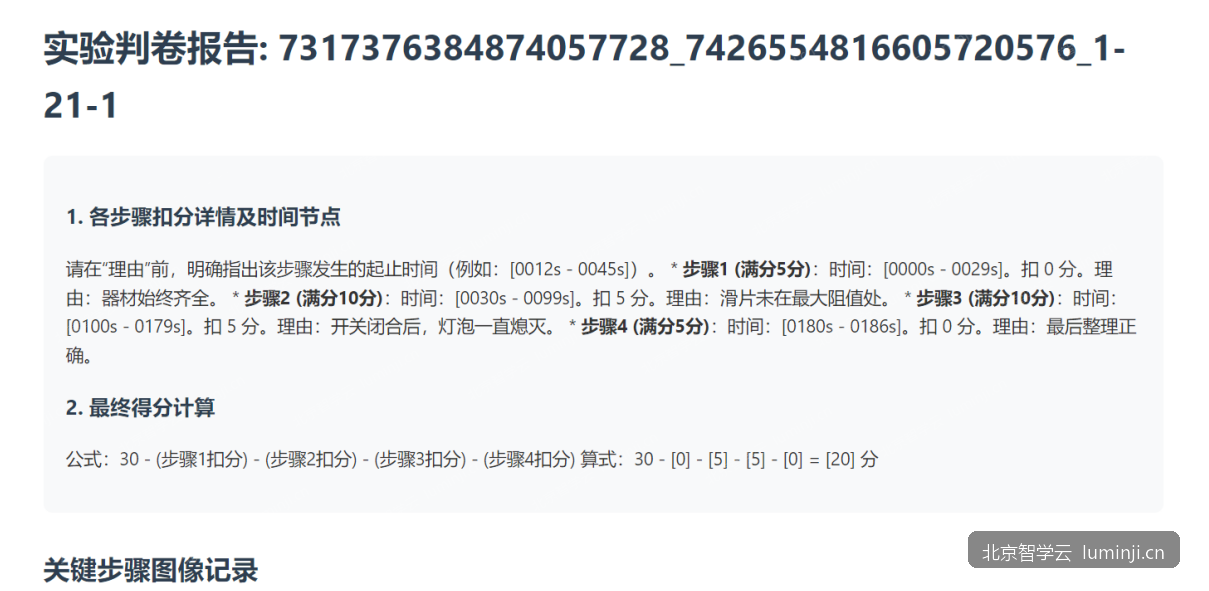
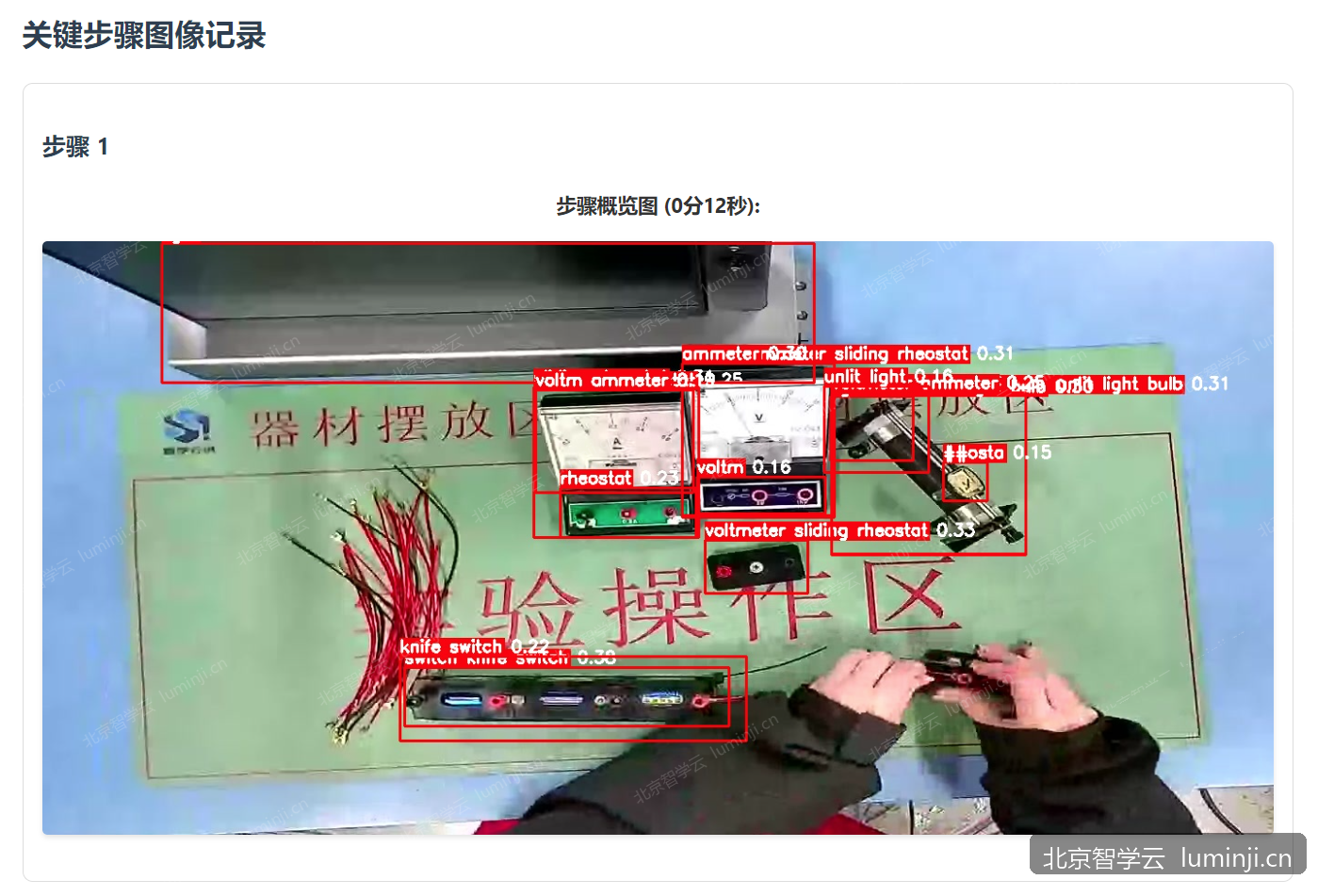
  • Subjective AI scoring: Recognizes formulas, chemical equations and lab step descriptions.
  • Process-based scoring: Millisecond capture of virtual lab actions — reward compliance, warn on errors.
  • Instant feedback: Students see why they missed; teachers see class-wide patterns and adjust instruction.
Assessment data and learning feedback
AI Auto-Scoring

Precise, efficient intelligent marking

Subjective questions are no longer a bottleneck

  • Smart recognition: Handwritten formulas, equations and non-standard lab steps.
  • Process evaluation: Full-process dynamic scoring in virtual labs with real-time compliance feedback.
  • Fast & consistent: Far faster than manual marking with unified standards and less bias.
AI recognition and intelligent marking
Feature 3

Intelligence

The smart engine for the full teaching workflow

  • Smart paper assembly: One-click papers by knowledge point and difficulty — personalized per student.
  • Smart proctoring: Cameras plus AI vision to detect anomalies and alert instantly.
  • Smart diagnostics: Multi-dimensional analytics to pinpoint weak knowledge areas.
  • Smart recommendations: Videos, variant drills and readings for personalized learning paths.
Teaching quality and analytics dashboards
Feature 4

Precision Assessment

From scores to deep competency insight

  • Multi-dimensional data: Thinking process, operation traces, response time and other process data.
  • 360° competency profile: Knowledge mastery, lab skills, logical reasoning and more.
  • Visual reports: Class analysis, individual reports and knowledge maps.
  • Personalized guidance: Differentiated teaching plans tailored to each learner.
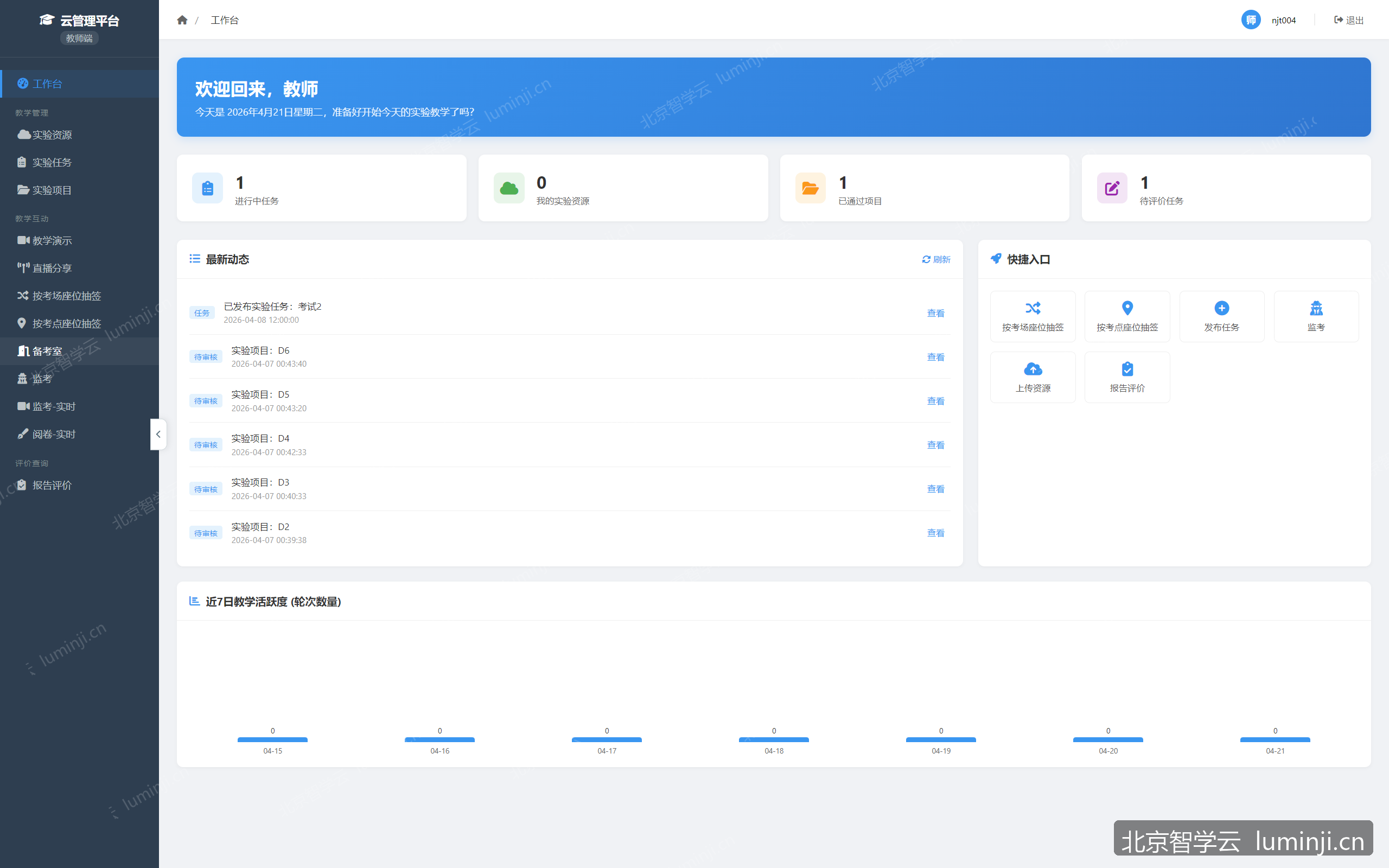
Teacher-side learning analytics

Deployment Architecture

Three-tier private deployment: regional supervision platform + school-level platforms + student lab terminals. School data is isolated; exam and answer data aggregated to the regional tier via encrypted channels. Student terminals support Windows, Linux, and domestic operating systems — one client covers daily lab lessons and formal exams.

Regional oversight platformEducation authorityEncrypted syncEncrypted syncSchool ASchool platformStudent lab terminalsWin / Linux / domestic OSMulti-camera captureSchool BSchool platformStudent lab terminalsWin / Linux / domestic OSMulti-camera captureTeachers / adminsBrowser access
  • •Regional platform deployable in education bureau data center or government cloud; schools connect via dedicated line/VPN
  • •One school server (or VM) per school; admin accessed via browser without client installation
  • •Student lab terminals as cross-platform native clients supporting Windows, Linux, macOS, and major domestic OS
  • •AI review, OMR recognition, and facial verification services deployable per school or shared regionally
  • •Offline mode: terminals queue answer sheets and recordings locally; auto-resume upload when network restored

Recommended Hardware Configuration

Typical recommendations for graduation/regional unified exam scenarios. Actual requirements depend on lab seat count, concurrent exam scale, and network conditions.

Regional Supervision Platform

Serves regional education bureaus or exam authorities; aggregates exam and statistics from subordinate schools

RoleRecommended spec
Server8-core CPU · 16 GB RAM · 1 TB SSD
NetworkGigabit Ethernet, fixed public IP or dedicated line
ClientStandard office PC + modern browser

Server:Typical for up to 20 schools; scale up by connected school count

Network:VPN or government network recommended between regional and school platforms

Client:Browser access for exam officers and supervisors

School Platform · Standard Exam Venue (24 seats)

Single school, single lab — suitable for daily teaching and regional unified exams

RoleRecommended spec
School server8-core CPU · 32 GB RAM · 2 TB SSD
Student lab terminal8 GB RAM · 256 GB SSD · Gigabit NIC
Multi-stream captureOverhead + side + front camera, 1 stream per seat
Teacher / proctor PC8 GB RAM · standard office configuration
NetworkLab gigabit LAN, uplink bandwidth ≥ 100 Mbps

School server:Hosts platform services, recording archival, and exam data; RAID or dedicated storage recommended

Student lab terminal:Cross-platform client: Windows 10+, Linux, macOS, domestic OS; 1 per seat

Multi-stream capture:USB or network cameras; biology may add electronic eyepiece

Teacher / proctor PC:Browser access to admin and proctoring console; no dedicated client required

Network:Wired network recommended during exams to reduce wireless interference

School Platform · Large-Scale Exam Venue (48+ seats)

Multi-lab joint exams or large-scale mock exams; upgraded server and bandwidth recommended

RoleRecommended spec
School server16-core CPU · 64 GB RAM · 4 TB SSD
Student lab terminalSame as standard venue; unified image batch deployment recommended
Network10 GbE core + gigabit to seat, uplink ≥ 200 Mbps
AI review (optional)8-core CPU · 32 GB RAM · GPU accelerator

School server:Higher concurrent submission and upload load; scale storage by retention period

Student lab terminal:Cross-platform client supports mixed OS environments for gradual domestic terminal migration

Network:Staggered submission or seat-priority upload strategy recommended to reduce concurrency

AI review (optional):Deployable per school or shared regionally for AI-assisted marking

Detailed Feature List

Platform foundation, end-to-end workflows and regional oversight for education authorities and schools

Platform Foundation

  • ✓Three-tier private deployment (regional platform, school platform, student terminals)
  • ✓Browser-based admin console — no client installation required
  • ✓Cross-platform student lab terminal client (Windows / Linux / macOS / domestic OS)
  • ✓Software license management for authorized use
  • ✓Encrypted secure data sync between tiers with offline catch-up upload
  • ✓Sync failure queue view and manual retry
  • ✓Exam and lab lesson workflows independent; same terminal reused across scenarios
  • ✓Semester configuration and semester-based statistics filtering
  • ✓Multi-role permissions: admin, exam officer, proctor, marker, lottery officer, teacher
  • ✓Teacher account management, subject binding, and bulk import
  • ✓One-click installation deployment and secure transfer
  • ✓Data backup and system health monitoring
  • ✓Remote terminal version release and upgrade

Exam Scheduling

  • ✓Create, edit, delete, and clone exam tasks
  • ✓Editable in draft/scheduling phase; rules locked after scheduling confirmed
  • ✓Labs designated as exam venues with per-subject venue support
  • ✓Venue start/end dates and assignment of lottery officers and proctors
  • ✓Head proctor and regular proctor role separation
  • ✓Seat-to-paper binding and seat plan spreadsheet import/export
  • ✓Random lottery assignment of seats and papers
  • ✓Lottery results linked to seat plans
  • ✓Intelligent session generation based on venue capacity
  • ✓Session schedule spreadsheet import/export
  • ✓Pre-scheduling validation: unassigned candidates, over-capacity, incomplete venues, etc.
  • ✓Auto-fill unassigned candidates into available seats by capacity
  • ✓One-click confirm scheduling and create all exam sessions
  • ✓Auto-dispatch exam roles to lottery officers and proctors
  • ✓Receive exam tasks and venue/seat/paper configs from regional platform
  • ✓Regional publish and school pull of exam configuration

Exam Papers & Candidates

  • ✓Multi-subject, multi-paper configuration with physics/chemistry concurrent sessions
  • ✓Separate physics and chemistry paper configs; candidates auto-assigned by subject
  • ✓Paper name, ID, subject, grade level, description, and recording duration
  • ✓Three-state paper management: disabled, enabled, deactivated
  • ✓Editing locked after enable per rules; list search/filter and total score display
  • ✓Rich-text question editing with mixed text and images
  • ✓Assessment point setup, rubric criteria, and standard answer configuration
  • ✓Answer sheet sub-questions: single choice, multiple choice, fill-in, drawing, subjective
  • ✓Sub-questions linked to assessment points
  • ✓Answer sheet template images bound to sub-questions
  • ✓Visual editor for bubble-sheet layout and fill regions
  • ✓Biology electronic eyepiece question support
  • ✓Bulk import/export of question banks and media packages
  • ✓Regional question bank template distribution
  • ✓Manual candidate roster maintenance, inline editing, and bulk import
  • ✓Candidate photo upload for terminal verification display and cross-school sync
  • ✓Candidate management by home school
  • ✓Candidate deletion allowed before scheduling lock
  • ✓Auto paper delivery to terminals by candidate, seat, and exam station

Identity Verification & Facial Recognition

  • ✓Account and password verification mode
  • ✓Facial confirmation assist mode (live capture + proctor manual confirmation)
  • ✓Automatic facial matching mode (live photo vs. candidate photo)
  • ✓Proctor forced entry when facial match fails
  • ✓Full audit trail for all forced entry actions
  • ✓Front-facing camera live capture verification on terminals

Digital Answer Sheets & OMR

  • ✓Question-by-question digital answer entry on terminals
  • ✓Auto-save drafts during response
  • ✓Digital answer sheet locked and uneditable after submission
  • ✓Paper answer sheet photo or file upload
  • ✓Terminal displays answer sheet template for reference while filling
  • ✓Digital and paper answer sheet dual-mode coexistence
  • ✓Automatic OMR marking for bubble-sheet objective questions
  • ✓Low-confidence OMR results routed to dedicated manual review page
  • ✓Smart recognition display for handwritten and drawing areas on answer sheets
  • ✓Perspective correction to improve recognition success rate
  • ✓Answer file integrity verification and media metadata recording
  • ✓Automatic scoring for objective questions (single/multiple choice, fill-in)
  • ✓Manual teacher marking for drawing and subjective questions
  • ✓Merged scoring strategy for recognition results and digital answers

Exam Execution & Supervision

  • ✓Composite exam status: not started / in progress / pending papers / marking / completed
  • ✓Marking progress display (marked / total)
  • ✓Exam list filtered by composite status
  • ✓One-click start/stop all sessions at exam level
  • ✓Exam countdown and automatic start at scheduled time
  • ✓Exam pause, resume, and time extension
  • ✓Automatic submission at deadline and proctor forced submission
  • ✓My proctoring tasks and exam proctoring room
  • ✓Exam supervision dashboard with real-time refresh and large-screen view
  • ✓Dedicated exam supervision large-screen page
  • ✓Supervision data table export
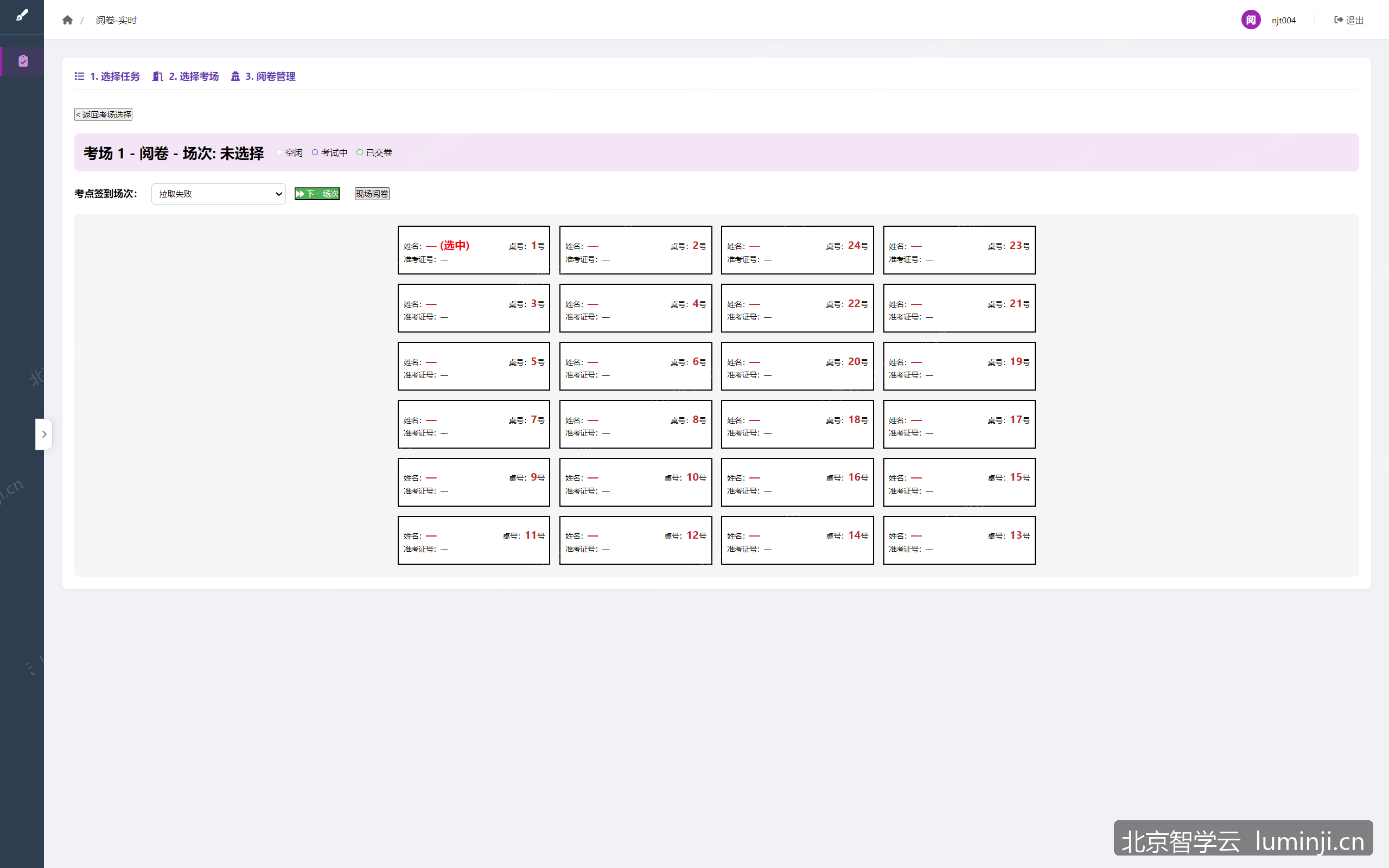
  • ✓Seat wall real-time per-seat status display
  • ✓In-exam progress sync to regional platform
  • ✓Seat-priority upload strategy to reduce concurrent load
  • ✓Configurable answer upload scope
  • ✓Answer sheets and recordings reported to regional platform independently or with sessions

Proctoring & Recording

  • ✓Overhead, side, front, and microscope multi-camera configuration
  • ✓Required/optional camera rules per experiment
  • ✓Pre-class validation of seat camera readiness
  • ✓Submission rejected when required camera recordings are missing
  • ✓Network and local camera integration
  • ✓Real-time multi-stream video preview on proctor console
  • ✓Automatic multi-stream merge on submission
  • ✓Full-exam automatic recording archival
  • ✓Synchronized playback of one to four video streams during review
  • ✓Seat online status, network, storage, camera, and bandwidth monitoring

Marking Organization & Quality Control

  • ✓Assign markers, arbitrators, and chief examiners (team leads) by exam group
  • ✓Unified entry for my marking tasks and on-site marking
  • ✓Post-exam centralized marking and on-site marking modes
  • ✓On-site marking linked to proctor console; claim papers by seat
  • ✓Marking seat selection with cross-session persistence
  • ✓Configurable single-marking (on-site) and dual-marking modes
  • ✓Dual-marking deviation threshold settings
  • ✓Average score finalized when dual-marking difference within threshold
  • ✓Automatic escalation to arbitration when dual-marking difference exceeds threshold
  • ✓Round-two arbitrator marking
  • ✓Round-three chief examiner (team lead) final ruling
  • ✓Blind review mode: markers cannot see others' scores
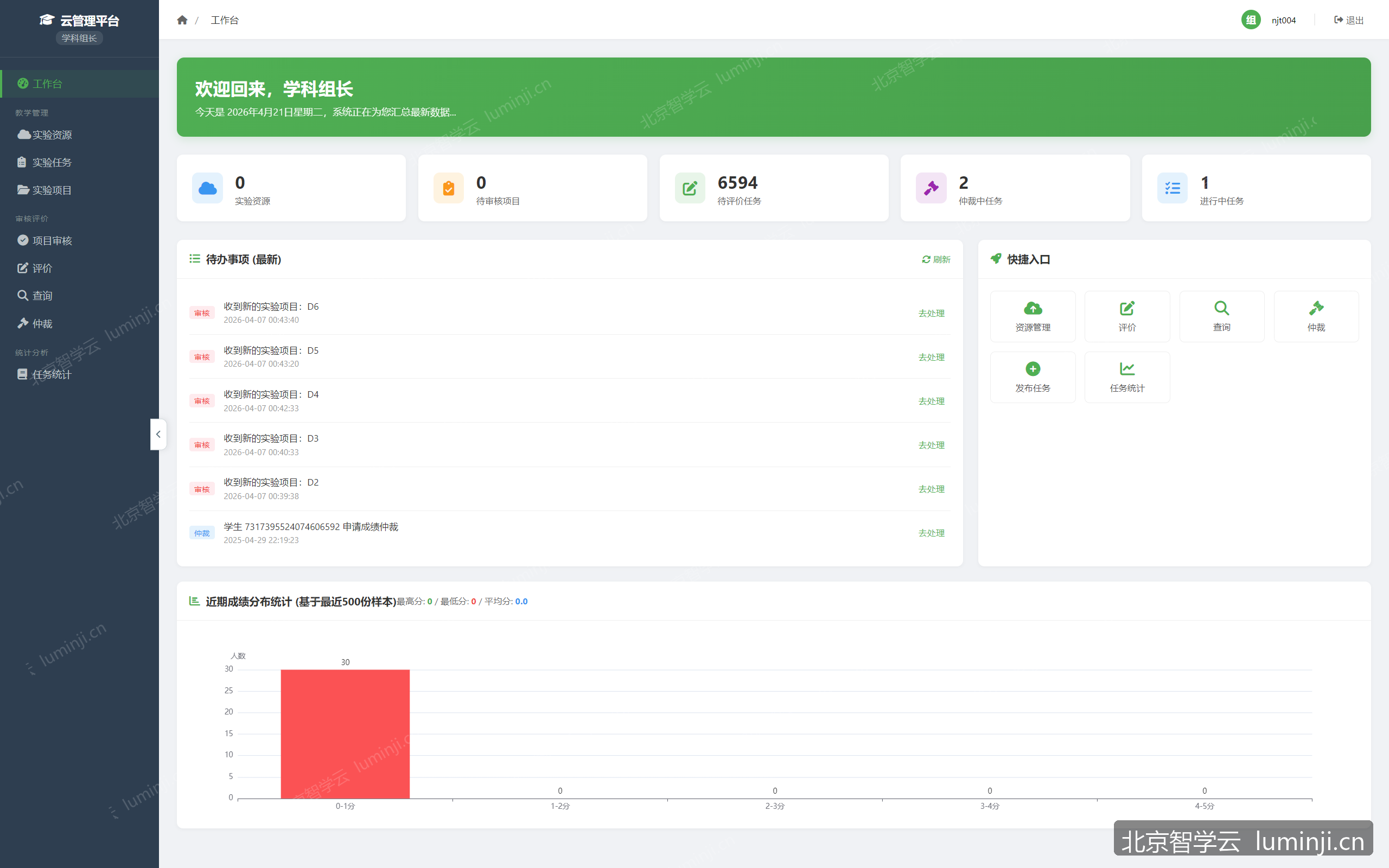
  • ✓Team lead dashboard: overall progress, pending pool, escalation rate
  • ✓Team lead supervision: marker workload, progress by subject/session
  • ✓Team lead supervision: finalized score distribution, mean, and standard deviation
  • ✓Answer tampering alert monitoring and confirmation handling
  • ✓Pending pool claim and random paper assignment
  • ✓Auto-release back to pool on claim timeout
  • ✓Marking dispute application and arbitration pool processing
  • ✓Exam marking settings: AI marking and OMR recognition toggles

Marking & Scores

  • ✓Marking workspace with answer sheets and recordings by group and seat
  • ✓Dynamic layout playback of one to four video streams during review
  • ✓Filter and export by home school (mixed cohort exams)
  • ✓Score export carries current home school filter
  • ✓Dedicated low-confidence OMR review list page
  • ✓AI-assisted review of practical operation videos
  • ✓AI review by experiment code per experiment configuration
  • ✓Step-by-step AI scoring reference by assessment criteria
  • ✓Automatic OMR objective question scoring on answer sheets
  • ✓Separate display of AI score, recognition score, and teacher finalized score
  • ✓Scores include AI score, deviation, and marking status
  • ✓Official score determined by teacher manual finalization
  • ✓Manual retry for AI review exceptions
  • ✓Exam analytics: score distribution, objective accuracy, common errors, option distribution
  • ✓Multi-paper grouped analysis
  • ✓Score list query and table export
  • ✓Home school comparative analysis for mixed cohort exams

Computer-Based Test Assembly & Error Notebook

  • ✓Independent question bank decoupled from practical operation papers
  • ✓Auto paper assembly by question type quota, tags, and difficulty rules
  • ✓Assembly preview, rule validation, and one-click paper generation
  • ✓Re-select questions from saved rules for draft papers
  • ✓Online paper preview and editing
  • ✓Scheduled paper activation at specified time
  • ✓Pass score, exam duration, and other exam parameter configuration
  • ✓Paper delivery strategy: locked question set with shuffled stems and options
  • ✓Paper delivery strategy: random question draw from bank at exam start
  • ✓Consistent question and option order for same candidate after refresh
  • ✓Multiple-choice scoring by correct option count
  • ✓Score statistics: aggregated by class, paper, and session
  • ✓Score statistics table export
  • ✓Teacher error notebook: error count and rate per question
  • ✓Teacher error notebook: statistics by class and by student
  • ✓Error notebook statistics table export
  • ✓Student personal error notebook with cross-session cumulative review
  • ✓Error details with standard answers and explanations
  • ✓Error correction marking and subject filtering
  • ✓Student terminal error notebook and post-exam question review

Regional Supervision

  • ✓School registration, enable/disable, and access credential management
  • ✓Create exam tasks and distribute to designated schools
  • ✓Regional sync of venue, seat, and paper configuration
  • ✓Auto aggregation of sessions, exams, answer sheets, recordings, and details
  • ✓Multi-dimensional cross-school lab lesson statistics
  • ✓Cross-school exam analytics (participation, average score, pass rate, etc.)
  • ✓Real-time exam execution progress view
  • ✓Regional statistics dashboard and report export
  • ✓Batch session catch-up upload and sync management

Highlights

  • ✓Dual marking, arbitration & blind review
  • ✓Facial identity verification
  • ✓Digital answer sheets & OMR recognition
  • ✓Concurrent physics/chemistry sessions
  • ✓Three-tier private deployment

Target Users

  • •Education bureaus / exam authorities
  • •Middle schools
  • •Lab integration service providers

Licensing, Upgrades, Continuity & Data Security

This section outlines our commitments on perpetual software licensing, free online upgrades, power-outage continuity, three-tier city–county–school management, and data security — aligned with the platform’s private upper / school / terminal architecture.

1

Perpetual Legitimate Software License

We grant the purchaser a perpetual right to use the delivered system software within the contracted scope. The license remains valid after the warranty/support period ends.

Scope

  • ✓Upper-tier platform: school registry, template/exam distribution, cross-school analytics
  • ✓School-tier platform: experiments, lesson plans, sessions, exams, devices & ops
  • ✓Browser-based admin console
  • ✓Student lab terminal (desktop)
  • ✓Installation, setup, backup/ops tooling and documentation

Form of delivery

  • ✓Install packages / container images and deployment manuals
  • ✓Signed digital license bound to organization and environment
  • ✓Source or binaries as contracted
  • ✓Third-party / open-source component inventory and license notices
2

Free Online Software Upgrades

During warranty and contracted service periods, upgrades (features within scope, fixes, security patches) are provided free of additional license fees.

Upgrade layers

ComponentMethodNotes
Platform serverImage/binary update + schema migrationVersioned migrations; backup before upgrade
Admin webShipped with server or static updateBundled under admin path in production
Student terminalRemote package publish & downloadUpload, publish, set current version
Config / topologyHot reload or restartNo business-data rewrite required

Service coverage

  • ✓Defect fixes and security patches
  • ✓In-scope feature improvements
  • ✓Routine compatibility updates (OS, browser, camera drivers)
  • ✓Release notes, rollback guidance, remote/on-site support
3

Temporary Power-Outage Continuity

We combine site UPS guidance with software continuity: offline terminal queues, prioritized answer upload, async sync retry, exam pause/resume, and local-first persistence before upper-tier aggregation.

Ops playbook (summary)

PhaseActions
Outage startsConfirm UPS; stop new sessions; preserve state; notify proctors
Short outagePause timers; do not force-shutdown terminals; resume exams together
Long outageFormal collection; integrity check of local answers; upload later
Power restoredHealth-check services; drain upload queues; finish sync; verify seats
4

City–County–School Three-Tier

Private three-tier deployment maps to city / county / school education management, with hierarchical distribution, aggregation, RBAC, and local terminal access. Networking and data practices follow national and local education-ICT and e-government requirements.

Role mapping

TierPlatform roleResponsibilities
City / municipalUpper platformSchool registry, templates/exams, cross-school analytics
County / districtRegional domain / secondary upperManage subordinate schools and regional exams
SchoolSchool platformLabs, teaching & exams, local retention, sync upward
5

Data Security

Coverage includes backup/DR, encryption in transit and at rest (as enabled by site infrastructure), access control, masking/minimization, and auditability for teaching, roster, answer-sheet and media assets.

Key controls

  • ✓Scheduled DB and object-storage backups with restore drills
  • ✓Encrypted transport, token auth, signed inter-tier sync
  • ✓Time-limited pre-signed media upload URLs
  • ✓Display/export masking for IDs and contacts; authenticated exports only
  • ✓Role separation, sync audit trails, integrity checks, least-open ports

Commercial term length, SLAs and liabilities are as contracted.

Start Your Science Lab Digitalization

Book a demo for a tailored solution and quote. We respond within one business day.